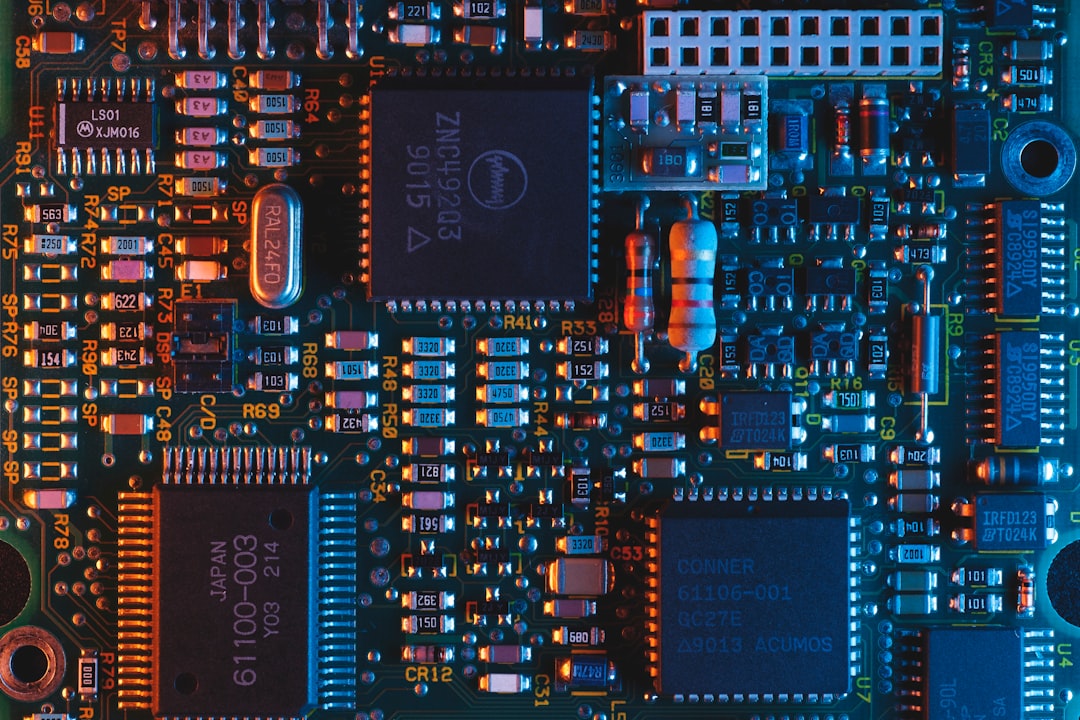
Your laptop is lying to you. Not intentionally—not exactly. But every time you push it hard, something quiet happens in the background. Your processor voluntarily reduces its speed. Your graphics card backs off. Your system makes a choice: slow down or risk permanent damage. This is thermal throttling, and it's probably happening right now if you're running anything demanding.
I discovered this the hard way. Three years ago, I bought a "high-performance" laptop marketed specifically for video editing. Beautiful machine. Aluminum chassis. Impressive specs on paper. Within six months of heavy use, I noticed it was sluggish during my most demanding projects. Video export times that should take 45 minutes were stretching to two hours. Render farms were crawling. I took it to a repair shop, convinced something was broken.
The technician plugged in a thermal monitoring tool and showed me the truth: the CPU was running at 2.1 GHz instead of its advertised 3.8 GHz. It had been throttling itself for months. The laptop's cooling system—basically a single small fan and a thin copper pipe—simply couldn't handle sustained heat load. So the processor stepped back. Voluntarily. Predictably. Invisibly.
The Physics Nobody Wants to Discuss
Modern processors generate an enormous amount of heat. A high-end CPU can produce 150+ watts of thermal energy during peak operation. That's roughly equivalent to a incandescent light bulb running full blast, all trapped inside a space smaller than a postage stamp. Your laptop's cooling system has to move that heat somewhere, and it has maybe three seconds before the processor hits dangerous temperatures.
Here's where the engineering gets interesting—and depressing. Manufacturers face an impossible equation. Consumers want thin laptops. Thin machines leave no room for robust cooling systems. You physically cannot fit a large radiator, multiple heatpipes, and adequate airflow into a device that's 0.6 inches thick. So companies make a trade-off. They design cooling systems that handle maybe 70-80% of peak thermal output. Anything beyond that triggers throttling.
This isn't a manufacturing flaw. It's intentional design. Thermal throttling is a protective mechanism, like a circuit breaker in your house. Without it, processors would overheat and fail catastrophically. With it, they degrade gracefully. Your laptop slows down rather than catching fire.
The problem? Marketing departments don't mention this. When a laptop claims to have a "3.8 GHz processor," that's technically true. But you'll rarely—if ever—actually use that full speed. Most users never see the specifications in real conditions. They only experience the slowdown.
Gaming Laptops: A Case Study in Compromise
Gaming laptops represent the intersection of this problem. They promise high performance, but they're still laptops—still thin, still portable, still thermally constrained. Manufacturers have gotten creative with solutions, though none are perfect.
RGB lighting? That's not just for show. Some gaming laptops use vapor chambers with LED elements that help distribute heat across larger surface areas. It's clever engineering disguised as aesthetic preference. Others employ multiple cooling modes—basically software profiles that adjust fan speed and power limits based on what you're doing. Play a game, the system switches to "performance mode" and cranks the fans. Work on spreadsheets, it goes into "quiet mode" and lets the processor run unrestricted.
Razer's recent approach involves modular thermal systems where the cooling performance actually scales with the GPU power. ASUS TUF laptops use liquid metal thermal paste between the CPU and heatspreader instead of traditional thermal compound. It conducts heat roughly 4x more effectively. These aren't cheap solutions—they add $200-400 to the final price—but they address the fundamental problem.
Yet even these improvements are band-aids on a deeper wound. You cannot cool a 200-watt system in a thin chassis without either accepting throttling or accepting noise. Manufacturers choose differently depending on their target market. Some opt for silence and accept performance loss. Others embrace noise and maintain speed. There's no perfect answer.
What Thermal Monitoring Actually Reveals
If you've never looked at your system's actual temperatures, you're missing important information. Tools like HWInfo (free, Windows/Linux) and Macs Fan Control reveal what's actually happening inside your machine. Most people are shocked by what they find.
A "normal" CPU temperature under light use is around 45-55°C. Under heavy gaming or rendering, 85-95°C is typical. When you hit 100°C+, throttling kicks in hard—sometimes reducing clock speeds by 50% or more. Sustained temperatures above 95°C also degrade the processor faster. Silicon degrades at high temperatures. You're literally shortening your laptop's lifespan with every intensive task.
Solid-state drives in laptops are particularly vulnerable. They have no active cooling whatsoever. NVMe drives commonly reach 70-80°C during sustained heavy use. Apple recognized this problem with their new MacBook Pro M3 models, adding thermal pads directly to the SSD. It's a small change that probably extends drive lifespan by years.
The disconnect between what manufacturers promise and what users experience often comes down to this: the benchmark numbers assume sustained cooling that simply doesn't exist during real-world use. A processor rated for 3.8 GHz might achieve that for exactly 3-5 seconds before heat forces a slowdown.
Making an Informed Purchase
If you need sustained performance from a laptop, you need to consider thermal architecture before processor specs. Look for machines with larger chassis. Yes, they're heavier. Yes, they're less trendy. But they'll actually deliver the performance they promise because they have room for proper cooling systems.
Pay attention to cooling solutions in product reviews. Watch for reviewers who actually test thermal performance under sustained loads, not just peak measurements. Check what thermal paste or solutions are used. Research whether the manufacturer allows easy access to clean dust from cooling systems. Over time, dust buildup is the single biggest factor in thermal degradation.
Consider your actual workload. If you primarily use web browsers and word processors, thermal throttling never affects you. But if you edit video, render 3D models, or play demanding games, the cooling system directly impacts your experience and your machine's longevity.
One more thing: if your laptop starts running hot, don't ignore it. Clean the vents. Update your BIOS—manufacturers regularly release updates that improve thermal management algorithms. If you're technically inclined, repasting the CPU with better thermal compound can help. For reference, I increased my laptop's sustained performance by roughly 15% just by replacing the factory thermal paste with higher-quality alternatives.
The Uncomfortable Truth
Thermal throttling reveals something uncomfortable about modern computing: thin is winning, and thin is expensive in terms of performance. Every processor breakthrough gets immediately swallowed by the pursuit of thinner devices. We get faster chips inside the same form factors that can barely cool slower ones.
This is why understanding your device matters. Specs tell you what's possible. Thermal design tells you what's probable. And if you understand the relationship between the two, you'll make better purchasing decisions and get realistic expectations about performance. Your laptop isn't broken when it slows down. It's protecting itself.
For more insights into how your hardware actually performs versus what manufacturers claim, check out Why Your Smartphone's AI Chip Matters More Than You Think—it covers similar disconnects between marketing and reality in mobile devices.
Comments (0)
No comments yet. Be the first to share your thoughts!
Sign in to join the conversation.