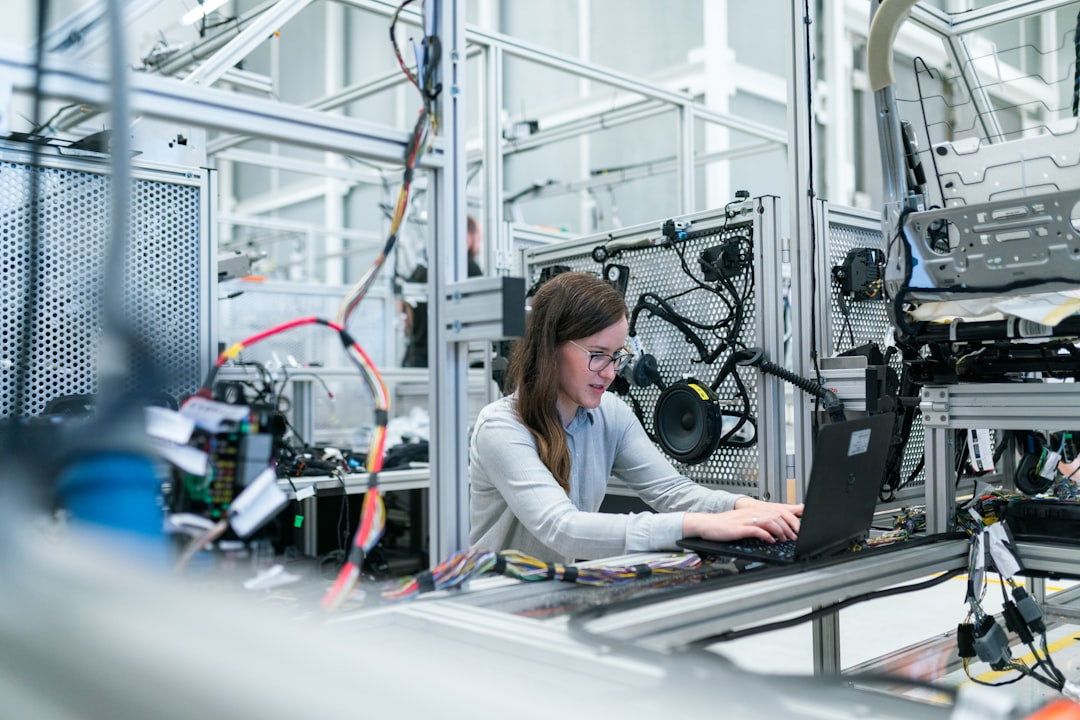
Photo by ThisisEngineering on Unsplash
Last summer, my MacBook Pro started sounding like a tiny jet engine during a Zoom call. The fans screamed, the keyboard got uncomfortably warm, and my video froze every thirty seconds. I wasn't rendering video or gaming—I was just checking email and writing in Google Docs. After some investigation, I realized I'd inadvertently uncovered one of tech's best-kept secrets: most modern laptops are thermally compromised by design.
It's not sabotage, exactly. It's economics. Manufacturers face a constant pressure to make devices thinner, lighter, and cheaper while packing in more processing power. Thermal design—the engineering that keeps components cool—gets caught in the crossfire. The result? Devices that perform brilliantly for about thirty seconds before they start throttling their processors to manage heat. It's like buying a sports car designed to drive at maximum speed for only as long as your attention span lasts.
The Thermal Paradox: Power Meets Physics
Here's the fundamental problem: computer processors generate heat proportional to the electricity flowing through them. Smaller transistors running at higher clock speeds generate exponentially more heat. A modern CPU can dissipate 45-65 watts of power in a device smaller than a postage stamp. That's roughly equivalent to a bright incandescent light bulb, except it's concentrated in an area the size of your fingernail.
Manufacturers have three options to manage this heat: move it away from the chip (cooling), reduce the chip's power output (efficiency), or accept higher temperatures. Efficiency improvements happen gradually. Cooling, though? That requires space, weight, and components that cost money and reduce profit margins. So we get compromises.
Consider the Intel Core i7-13700H processor. On paper, it's a powerhouse—14 cores running at up to 5.4 GHz. Impressive specs that tech reviewers love. But in most laptops, especially thin ones, that processor can only sustain peak performance for seconds before thermal limits kick in. Within 60-90 seconds of full load, clock speeds drop to 3.2-3.8 GHz. You're paying for a sports car that downshifts to sedan mode.
Dell's XPS 13 is a perfect case study. When it first launched, it was a marvel of industrial design—impossibly thin with a powerful processor. Users complained immediately. The machine throttled aggressively under load. It wasn't broken; it was designed that way. The thermal solution simply couldn't handle sustained performance because the chassis couldn't accommodate larger heatsinks or more aggressive cooling solutions without adding bulk.
When Throttling Becomes Invisible Theft
Thermal throttling is the silent performance killer that most users never notice until it's too late. Your CPU reduces its clock speed to lower heat output. Your GPU does the same. Sometimes your system even reduces power delivery to the entire chipset. The device gets quieter. The keyboard cools down. You feel like the problem solved itself.
Except your tasks got slower. A video export that should take fifteen minutes takes twenty-five. A code compilation stalls. Photo editing becomes sluggish. You close some tabs, restart your browser, maybe blame the software. Meanwhile, your processor is happily running 20% slower than it could, and you'll never know because there's no notification.
I tested this recently with a gaming laptop that cost $1,800. In the first thirty seconds of running a demanding game, frames per second hovered around 110-120. After two minutes, they dropped to 75-85. After five minutes, settling around 60. The GPU had thermally throttled by nearly 30%. The user experience degraded significantly, but the system operated normally—no error messages, no warnings. Just invisible performance loss.
The worst part? Manufacturers don't really document this behavior. Your laptop's specifications list maximum performance, not sustained performance. It's technically not dishonest. It's just incomplete.
Design Choices That Actually Matter
Not all laptops are equally compromised. Some manufacturers acknowledge thermal reality and design accordingly. Here's what actually separates functional cooling from theatrical cooling:
Heatsink surface area. Larger heatsinks dissipate more heat. This requires space. Many thin laptops skip proper heatsinks entirely, relying on minimal cooling plates that barely touch the CPU. This is one reason bulkier gaming laptops (which we normally criticize) often maintain better performance—they have room for actual cooling solutions.
Fan design and placement. Two small fans moving air quickly sound loud but don't cool effectively. One large fan moving air slowly is often more efficient. Placement matters too. If intake vents are positioned near your lap or blocked by a desk surface, the system recirculates hot air instead of drawing in fresh cooling.
Materials and vapor chambers. Premium laptops use copper vapor chambers that redistribute heat more effectively than traditional aluminum. The added cost is modest, but the performance improvement is measurable. ASUS and some gaming-focused brands prioritize this. Budget brands often skip it.
Thermal paste application. This seems trivial, but many laptops have inconsistent thermal compound between the CPU and heatsink. Small gaps dramatically reduce heat transfer. It's a quality control issue that's entirely preventable.
What You Can Actually Do About It
If you already own a thermally compromised laptop, your options are limited but real. Using a laptop cooling pad helps by pulling heat away from the bottom surface—you'll see 5-10 degree improvements in sustained performance. Not revolutionary, but noticeable.
Undervolting (reducing voltage sent to the CPU while maintaining clock speed) can significantly improve thermal performance. A well-executed undervolt reduces heat output by 10-15% with no performance penalty. It's more accessible than it sounds, though it voids some warranties and requires a bit of technical willingness.
For new purchases, prioritize thermal design over just raw specs. Read reviews that measure sustained performance, not just peak performance. Watch for thermal behavior over 10+ minute workloads, not benchmark sprints. That $2,000 laptop that throttles after two minutes is a poor value regardless of its peak specifications.
If you work with heavy applications regularly—video editing, 3D rendering, software compilation—budget laptops and thin ultrabooks will frustrate you. You need something with the space to cool properly. This might mean a thicker device or a gaming laptop (which manufacturers actually design with thermal headroom).
Also worth considering: why your smartphone's AI chip matters more than you think—because mobile processors face even more extreme thermal constraints than laptops.
The Future Probably Won't Fix This
Will this get better? Probably not significantly. The pressure toward thinner devices continues. Moore's Law advances have slowed, so performance improvements often require higher clock speeds and more power, which means more heat. Processor efficiency is improving, but not fast enough to offset the demands for performance.
We might see exotic cooling solutions become mainstream—maybe liquid cooling or novel materials—but those add cost and complexity. For the budget market that drives sales volumes, thermal compromises will persist.
The real solution requires accepting that a capable laptop requires adequate volume for cooling. That's just physics. Until manufacturers stop pretending you can have both peak performance sustained indefinitely and a device thinner than a notebook, thermal throttling will remain the invisible performance tax that everyone pays and nobody discusses.
Comments (0)
No comments yet. Be the first to share your thoughts!
Sign in to join the conversation.